Automatic Reply
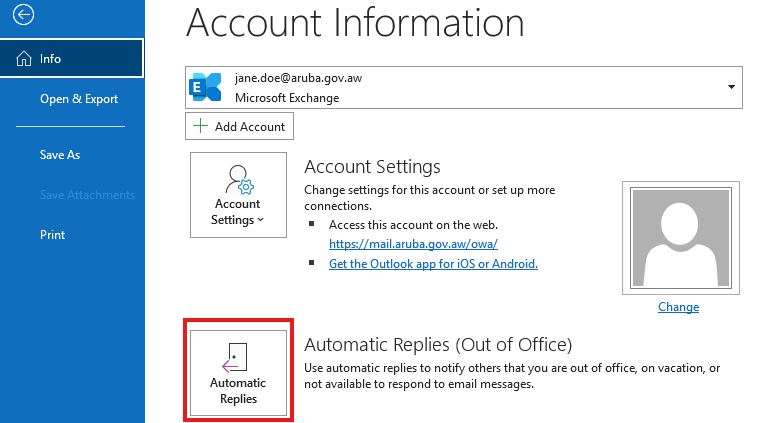
With this feature you can setup automatic replies to respond to email messages when out of office, on vacation or not available.
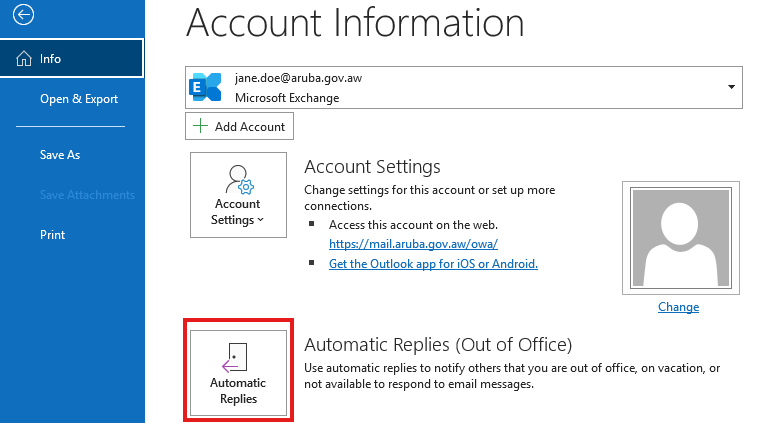
- Go to File - Automatic Replies
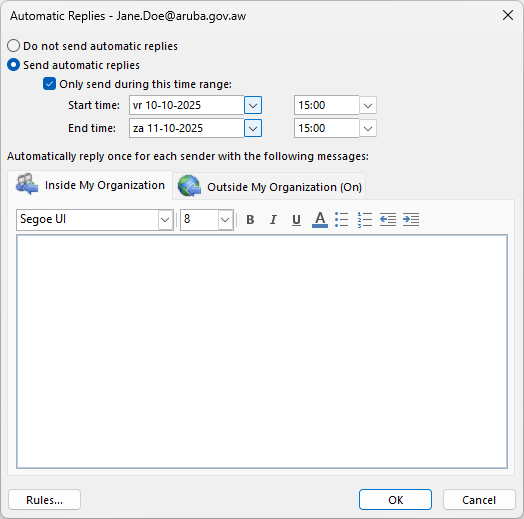
- Next you will see option to set the Start and End date/time. You can also configure different replies for contacts Inside Organization and Outside Organization.
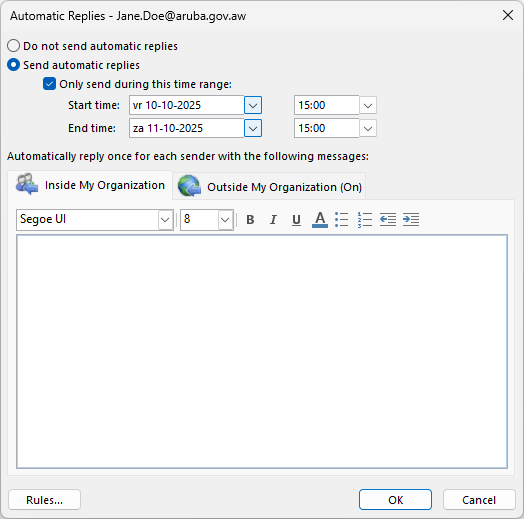
- Click OK, when your done.