
Change Outlook Password
Instructions on how to change your Outlook password.
- Open your favorite browser and goto mail.aruba.gov.aw
- Login with your email address and password
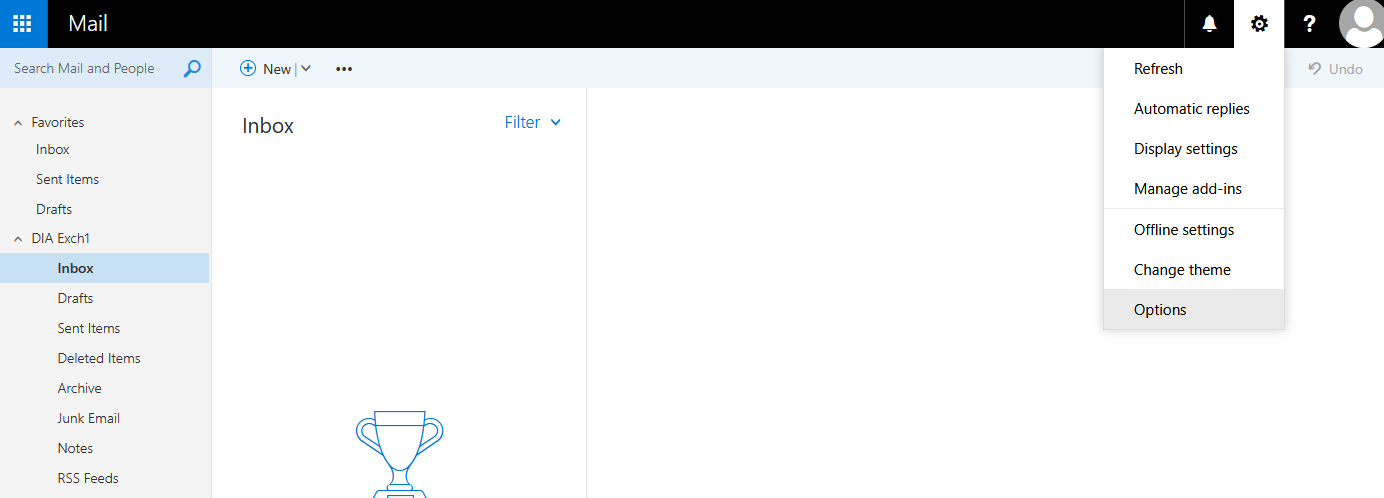
- Goto Setting - Options
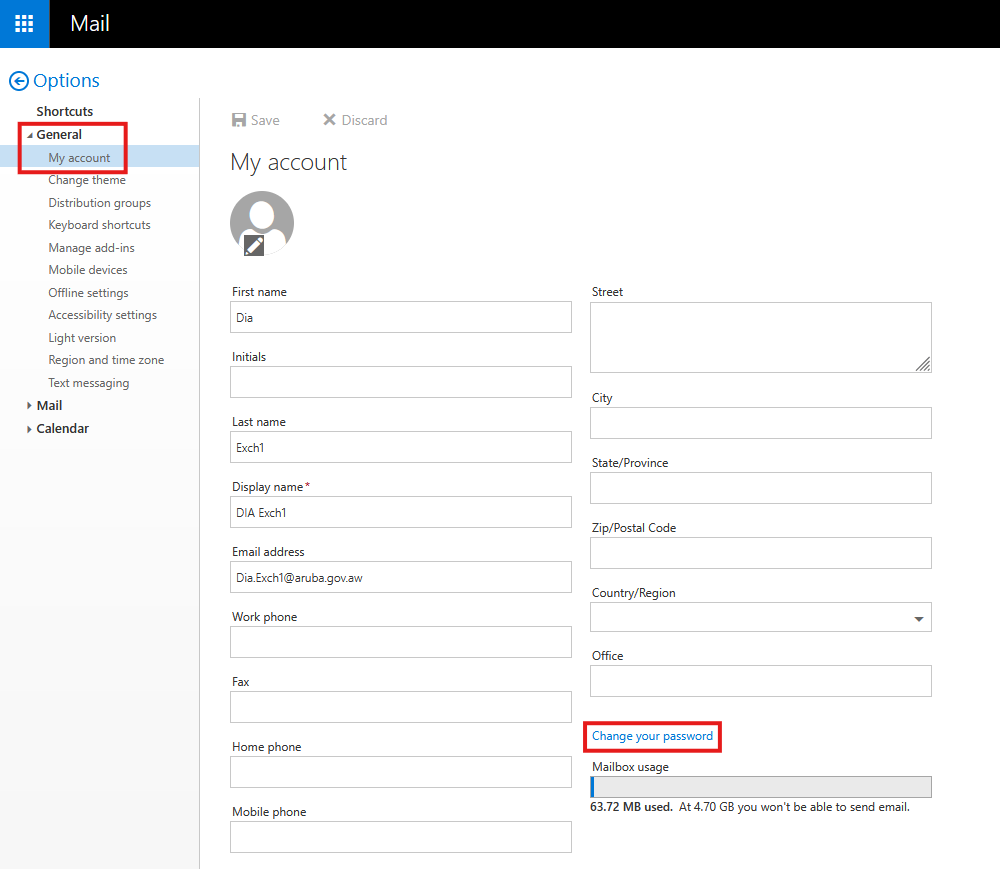
- Goto General - My Account - Change your password
- Done